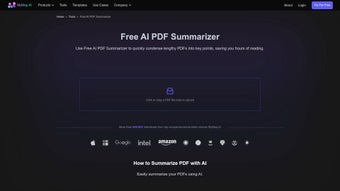

Download MyMap AI PDF Summarizer – AI‑powered PDF summarizer, mind‑map creator, and secure document tool
Overview
MyMap AI PDF Summarizer is a next‑generation, AI‑driven application that turns bulky PDF files, Word documents, and Excel spreadsheets into concise, visually engaging summaries. Leveraging the language‑understanding power of ChatGPT, the tool automatically extracts the most relevant information, then presents it in a format you choose—whether that’s a clean outline, a dynamic PowerPoint deck, or an intuitive mind map. The software supports dozens of global languages, making it ideal for multinational teams, researchers, students, and business professionals who need to digest complex material quickly.
Security is baked in: MyMap complies with GDPR, encrypts uploads, and never stores your files longer than necessary, ensuring that sensitive data stays private. Beyond summarization, the platform also offers targeted data extraction, allowing you to pull tables, key figures, or specific clauses from a document. All outputs are instantly shareable via link or export, facilitating collaboration across borders.
Whether you’re preparing a board presentation, reviewing a legal brief, or studying a textbook chapter, MyMap AI PDF Summarizer streamlines the workflow, cuts down reading time, and improves information retention.
Key Features
- AI‑powered summarization: Uses OpenAI’s ChatGPT models to understand context and generate accurate, concise summaries.
- Multiple output formats: Choose from mind maps, PowerPoint slides, or plain‑text outlines.
- Cross‑file compatibility: Works with PDFs, Microsoft Word, Excel, and plain‑text documents.
- Multilingual support: Summarizes documents in over 30 languages, including English, Spanish, Mandarin, German, and Arabic.
- Secure & GDPR‑compliant: End‑to‑end encryption, no long‑term storage, and strict data‑privacy policies.
- Targeted data extraction: Pull tables, figures, or specific sections without summarizing the entire file.
- One‑click sharing: Generate shareable links or export to PDF, PPTX, and image formats.
- Cloud‑based processing: No heavy local CPU load; the heavy lifting happens on secure servers.
- Customizable summarization length: Set the desired summary depth (short, medium, long).
- Integration ready: API hooks for embedding summarization into existing workflows or LMS platforms.
Installation & Usage Instructions
Getting started with MyMap AI PDF Summarizer is straightforward, whether you prefer the desktop client or the web‑based portal.
Step‑by‑step desktop installation (Windows & macOS)
- Visit the official download page and click the Download for Windows or Download for macOS button.
- Run the installer (MyMapSetup.exe or MyMapInstaller.dmg). Follow the on‑screen prompts—accept the license agreement, choose an installation folder, and let the wizard complete the process.
- After installation, launch MyMap from the Start Menu (Windows) or Applications folder (macOS). The first launch will prompt you to create a free account or sign in with Google/Microsoft.
- Once logged in, you’ll see the main dashboard. Click the Upload Document button, drag‑and‑drop your PDF, DOCX, or XLSX file, and wait for the upload to finish (typically a few seconds for files under 20 MB).
- Choose your desired output format from the dropdown: Mind Map, PowerPoint, Outline. Adjust the summarization depth slider to “Short”, “Medium”, or “Long” based on how much detail you need.
- Press Generate Summary. The AI processes the content on secure cloud servers; you’ll see a progress bar and an estimated time (usually under a minute for standard documents).
- When the summary is ready, you can preview it, edit minor details, and then click Export to download the file in the chosen format or click Share Link to copy a URL that you can send to collaborators.
Web version (Windows, macOS, Linux, Chrome OS, Android, iOS)
The web app requires no installation. Simply navigate to https://mymap.ai/summarizer, sign up or log in, and follow the same upload‑and‑generate workflow described above. The responsive interface works on tablets and smartphones, allowing you to summarize on the go.
Tips for optimal results
- Clean source files: Remove watermarks or scanned images that lack OCR, as the AI works best with selectable text.
- Use descriptive file names: Helps the system auto‑tag summaries for easier retrieval.
- Leverage the “Custom Extraction” feature: If you need only tables or specific sections, enable the extraction toggle before generating the summary.
- Batch processing: The web portal supports uploading up to five documents at once for bulk summarization.
Compatibility & System Requirements
MyMap AI PDF Summarizer runs on all major operating systems and devices, thanks to its hybrid architecture (desktop client + cloud backend). Below is a quick compatibility matrix:
| Platform | Supported Versions | Minimum Specs |
|---|---|---|
| Windows | Windows 10, Windows 11 (64‑bit) | 2 GHz CPU, 4 GB RAM, 200 MB free disk space |
| macOS | macOS 11 (Big Sur) and later | 2 GHz dual‑core, 4 GB RAM, 200 MB free disk space |
| Linux | Ubuntu 18.04+, Fedora 30+, Debian 10+ | 2 GHz CPU, 4 GB RAM, 200 MB free disk space |
| iOS | iOS 13 and newer (iPhone, iPad) | iPhone 7 or later, 2 GB RAM |
| Android | Android 8.0 (Oreo) and newer | 2 GB RAM, 150 MB storage |
The cloud‑based processing means that the heavy AI inference runs on MyMap’s secure servers, so even low‑end devices can generate high‑quality summaries without lag. The web portal is fully responsive and works with modern browsers such as Chrome, Edge, Firefox, Safari, and Brave.
Because the application communicates over HTTPS and encrypts all uploads with TLS 1.3, you can safely use it on public Wi‑Fi or corporate networks without exposing confidential data.
Pros & Cons
Pros
- AI summarization is fast and context‑aware, delivering accurate outlines in seconds.
- Multiple output formats cater to different workflow preferences (mind map, PPT, plain text).
- Strong multilingual support expands usability for global teams.
- GDPR‑compliant security guarantees data privacy.
- Cloud processing reduces local hardware requirements.
- Free tier available, with premium features for power users.
Cons
- Internet connection required; offline summarization is not yet supported.
- Large files (>100 MB) may experience longer processing times.
- Free plan limits daily summarizations to three documents.
- Advanced custom extraction rules are only available in the paid tier.
Frequently Asked Questions
Is MyMap AI PDF Summarizer really free?
Yes, the core summarization features are free with a limit of three documents per day. For unlimited use, batch processing, and advanced extraction, you can upgrade to the Pro plan for $9.99 USD per month.
Can I use MyMap without an internet connection?
Currently, the summarization engine runs on secure cloud servers, so an active internet connection is required. Offline support is on the roadmap for future releases.
How does MyMap protect my data?
All uploads are encrypted with TLS 1.3 during transmission and stored temporarily in encrypted form. Files are automatically deleted from our servers after processing, and the service complies fully with GDPR standards.
What languages are supported for summarization?
MyMap supports over 30 languages, including English, Spanish, French, German, Chinese (Simplified & Traditional), Japanese, Arabic, Russian, Portuguese, and many more. The language is auto‑detected, but you can manually select it if needed.
Can I integrate MyMap into my existing workflow?
Yes. MyMap offers RESTful API endpoints and webhooks that allow developers to embed summarization capabilities directly into LMS platforms, document management systems, or custom business applications.
Conclusion & Call to Action
MyMap AI PDF Summarizer stands out as a versatile, secure, and intelligent solution for anyone who regularly works with dense documents. Its AI engine, powered by ChatGPT, delivers fast and accurate summaries, while the visual output options—mind maps and PowerPoint decks—transform raw data into actionable insights. The platform’s multilingual capability and GDPR compliance make it a reliable choice for both individual users and enterprises. Although it requires an internet connection and imposes modest limits on the free tier, the value delivered far outweighs these minor drawbacks. If you’re looking to cut down reading time, improve knowledge retention, or share concise information with teammates, MyMap is a worthy investment.
Ready to experience faster document digestion? Download MyMap AI PDF Summarizer now and start creating mind‑map summaries in seconds. Upgrade to Pro for unlimited access and advanced features, or stick with the free plan to test its core capabilities. Transform your PDFs, Word files, and Excel sheets into clear, shareable insights—today.



.png)



